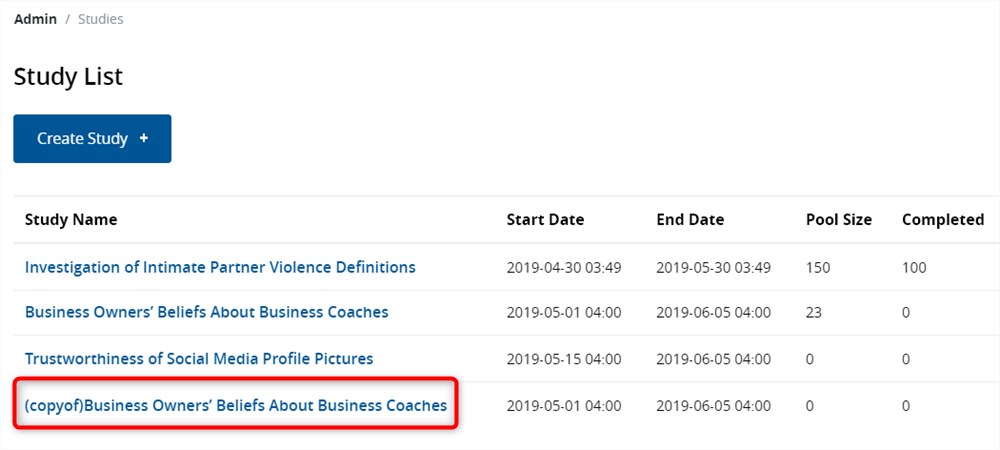
How to Clone a Study
If you wish to create new study with properties similar to that of an existing study, the easiest way is to clone the latter.
To clone a study, follow these steps:
1. Select the Study
After logging into Q Method Software, click on the title of the study in the Study List interface. This brings you to the Study Dashboard and populates the study's sub-navigation.
2. Click Clone Study
From the study sub-navigation, click the Clone Study link.
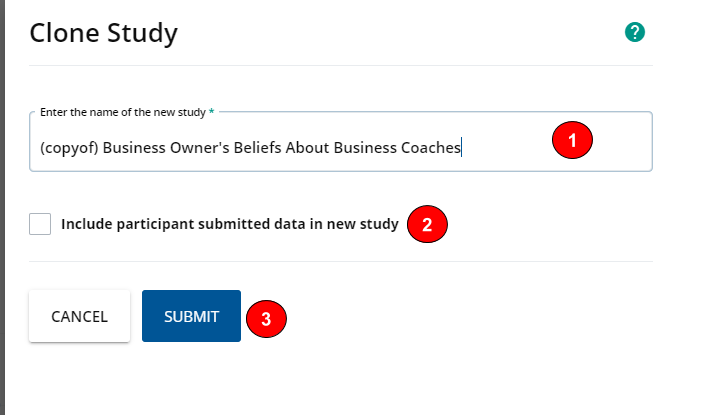
3. Name the new study
- Type the new study's name.
- If you would like to include all data from the source study, including participant codes, submitted q-sorts and completed surveys, check the checkbox labelled "Include participant submitted data in new study".
- Click Submit.
A success message pops up to let you know that the study has been cloned.
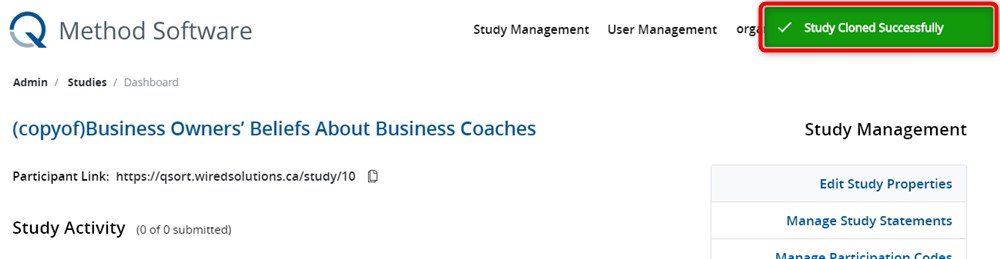
- From the Study Dashboard, click Edit Study Properties to configure the new study.
The new study now appears on the Study List.